
MacBook Pro with PROLED XDR Display Review
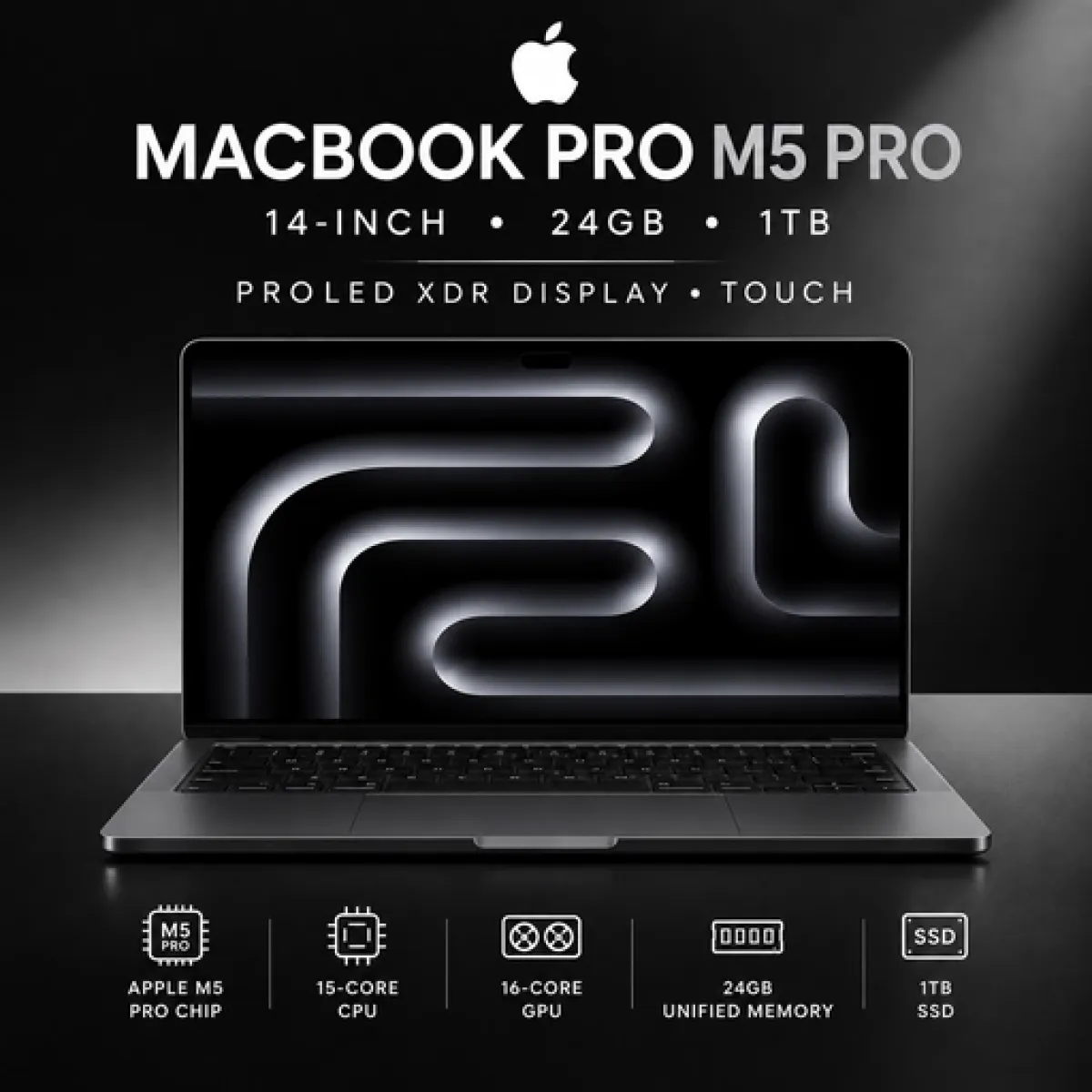
On 28 October 2026 Apple announced the MacBook Pro with PROLED XDR Display, the first Mac with a touchscreen. It comes in 14-inch and 16-inch sizes, pre-orders are open now, and deliveries start on 6 November. Inside are the M5 Pro and M5 Max, the same chips as the mini-LED MacBook Pro. What changes is the display, touch input and weight, and the price goes up by $400.
Design
It's lighter and thinner than before. The 14-inch model weighs about 1.4 kg and the 16-inch about 1.8 kg. The borders around the screen are slimmer, so the larger model's display grows to 16.3 inches. Apple has replaced the notch with the Dynamic Island that iPhone 17 Pro Max owners already know; it shows Live Activities and opens Spotlight and Siri. The glowing Apple logo is also back on the lid.
Display
The screen uses a two-layer tandem OLED panel instead of mini-LED. Every pixel lights itself, so blacks are truly black and there's no blooming around bright objects on dark backgrounds. In its official announcement, Apple calls it the best display in a laptop.
What you should know about it:
- Brightness: 2,000 nits is the peak. Sustained full-screen brightness stays at 1,000 nits, the same as the previous model, so the difference shows outdoors and in HDR content.
- Colour: the display supports Adobe RGB as well as P3, which matters for photographers and print work.
- Burn-in: Apple says the display manages pixel use and temperature to protect its lifespan, but there's no long-term data yet because the laptop hasn't shipped.
Touch
Touch is an extra input alongside the keyboard and trackpad, not a replacement. Apple says macOS translates touch into clicks, so most existing apps work with touch without an update. Apple also redesigned the hinge so the screen doesn't wobble when you tap it, and the camera stabilises your video feed automatically if you touch the screen during a call.
Chip and memory
The higher configurations of both M5 Pro and M5 Max have an 18-core CPU; the chips differ in graphics, memory bandwidth and video engines. Every GPU core includes a Neural Accelerator, the same idea Apple first used in the Apple A19 Pro for iPhone.
- M5 Pro is enough for coding, photo editing and everyday video editing, and it supports 3 external displays.
- M5 Max doubles the GPU cores and memory bandwidth and adds a second video encode engine. It helps with high-resolution video exports, 3D work and running large AI models on the laptop, and it supports 4 external displays.
Memory options by chip
- Base M5 Pro (14-inch only): 24GB or 48GB.
- Higher M5 Pro: up to 64GB.
- M5 Max with 32-core GPU: 36GB only.
- M5 Max with 40-core GPU: up to 128GB.
Memory can't be upgraded after purchase, so choose the right amount up front. Storage goes up to 16TB with M5 Max, according to Apple's official tech specs.
Battery and ports
Apple rates battery life at up to 24 hours depending on configuration and use, and fast charging reaches 50% in 30 minutes. The ports haven't changed: three Thunderbolt 5 ports, HDMI, an SD card slot, MagSafe 3 and a headphone jack.
Price
|
Model |
US price |
European price in USD |
|---|---|---|
| 14-inch M5 Pro | $2,899 | about $3,790 €3,299) |
| 16-inch M5 Pro | $3,399 | about $4,480 (€3,899) |
| 14-inch M5 Max | $4,499 | about $5,890 (€5,119) |
| 16-inch M5 Max | $4,799 | about $6,440 (€5,599) |
The mini-LED model is still on sale at $2,499 for the 14-inch, with the same chips. The $400 difference pays for the new display, touch input and lighter body.
If you want a Mac for everyday work and study on a much smaller budget, the MacBook Neo is Apple's cheapest laptop.
Available editions
This review covers every edition below. Only the specs that differ are listed.
| 14-inch · M5 Pro (15-core CPU / 16-core GPU) | 16-inch · M5 Pro (18-core CPU / 20-core GPU) | 14-inch · M5 Max (18-core CPU / 32-core GPU) | 16-inch · M5 Max (18-core CPU / 32-core GPU) | |
|---|---|---|---|---|
| Screen size (inch) | 14.2 | 16.3 | 14.2 | 16.3 |
| Resolution (px) | 3024 × 1986 | 3472 × 2266 | 3024 × 1986 | 3472 × 2266 |
| CPU | Apple M5 Pro | Apple M5 Pro | Apple M5 Max | Apple M5 Max |
| CPU cores | 15 cores (5 super + 10 performance) | 18 نواة (6 فائقة + 12 أداء) | 18 نواة (6 فائقة + 12 أداء) / 18 cores (6 super + 12 performance) | 18 cores (6 super + 12 performance) |
| GPU | Integrated 16-core Apple GPU with Neural Accelerators and ray tracing | 20-core GPU | 32-core GPU | 32-core GPU |
| RAM (GB) | 24 (48 configurable) | 24 (up to 64 configurable) | 36 | 36 |
| Memory type | Unified memory (307GB/s bandwidth) | Unified memory (307GB/s bandwidth) | Unified memory (460GB/s bandwidth) | Unified memory (460GB/s bandwidth) |
| Storage (GB) | 1000 (2TB or 4TB configurable) | 1000 (2TB or 4TB configurable) | 2000 | 2000 |
| Weight (kg) | 1.36 (3 lb per Apple) | 1.81 (4 lb per Apple) | 1.36 (3 lb per Apple) | 1.81 (4 lb per Apple) |
| Approximate price | ≈ 2,899 | ≈ 3,399 | ≈ 4,499 | ≈ 4,799 |
✅ Pros
- +OLED display with true blacks and no blooming
- +Adobe RGB and P3 colour support for photo and print work
- +Touchscreen that works with existing apps
- +Over 200 g lighter and slimmer than before
- +Dynamic Island replaces the notch
- +Up to 128GB memory and 16TB storage
- +Full port selection kept: Thunderbolt 5, HDMI and SD slot
❌ Cons
- −$400 more than the mini-LED model with the same performance
- −Sustained full-screen brightness unchanged at 1,000 nits
- −No long-term data yet on OLED panel ageing
- −Memory can't be upgraded and the cap depends on the chip
- −The 32-core-GPU M5 Max is limited to 36GB of memory
Frequently asked questions
Is the MacBook Pro touch screen?
Is the MacBook Pro OLED?
When is the MacBook Pro OLED release date?
How much does the MacBook Pro with PROLED XDR Display cost?
Is it faster than the mini-LED MacBook Pro?
Do existing Mac apps work with touch?
Can I upgrade the memory later?
Quick verdict
If you work on photos or video and care about contrast and Adobe RGB, or you travel a lot and weight matters, this model is worth the extra money. If you only need the performance, the mini-LED model gives you the same chips for $400 less.
The spec sheet describes the base edition. Compare editions
| Display | |
| Screen size | 14.2 inch |
|---|---|
| Resolution | 3024 × 1986 px |
| Panel | PROLED XDR tandem OLED, touch, antireflective coating (nano-texture option) |
| Refresh rate | 120 (ProMotion, 10–120 adaptive) Hz |
| Brightness | 2000 (peak HDR and SDR; 1,000 sustained full-screen) nits |
| Colour gamut | P3 + Adobe RGB, 1 billion colours |
| Aspect ratio | Not specified |
| Touchscreen | Yes |
| Performance | |
| CPU | Apple M5 Pro |
|---|---|
| CPU cores | 15 cores (5 super + 10 performance) |
| Base clock | Not specified GHz |
| Boost clock | Not specified GHz |
| GPU | Integrated 16-core Apple GPU with Neural Accelerators and ray tracing |
| GPU power | Not specified W |
| NPU | Not specified (16-core Neural Engine) TOPS |
| Operating system | macOS 27 |
| Memory | |
| RAM | 24 (48 configurable) GB |
|---|---|
| Memory type | Unified memory (307GB/s bandwidth) |
| Memory speed | Not specified MT/s |
| Memory slots | 0 (integrated) |
| Upgradeable memory | No |
| Storage & drives | |
| Storage | 1000 (2TB or 4TB configurable) GB |
|---|---|
| Storage type | SSD |
| M.2 slots | 0 |
| Card reader | SDXC |
| Battery | |
| Capacity | Not specified Wh |
|---|---|
| Battery life | Up to 24 (Apple's lineup figure; per-model figure not published) h |
| Charger wattage | Not specified W |
| Charging | MagSafe 3 or USB-C; fast charge to 50% in 30 minutes |
| Cooling & fans | |
| Cooling | Active fan cooling with a redesigned system that directs warm air away from the display |
|---|---|
| Noise level | Not specified dB |
| Max temperature | Not specified °C |
| Connectivity & ports | |
| USB-A ports | 0 |
|---|---|
| USB-C ports | 3 |
| Thunderbolt | 3× Thunderbolt 5 (up to 120Gb/s) |
| HDMI ports | 1 |
| Ethernet | No |
| Headphone jack | Yes (3.5 mm) |
| Wi-Fi | Wi-Fi 7 |
| Bluetooth version | 6 |
| Design & build | |
| Thickness | About 15 (0.5 mm thinner than before, per Apple) mm |
|---|---|
| Weight | 1.36 (3 lb per Apple) kg |
| Dimensions | Not specified mm |
| Material | Aluminium |
| Colour | Space Black, Silver |
| Keyboard | Magic Keyboard with 12 full-height function keys |
| Keyboard backlight | Yes |
| Touchpad | Force Touch |
| Webcam | 12MP Center Stage with Desk View and stabilisation during touch |
| Speakers | Six speakers, 50% deeper bass per Apple |
| Fingerprint reader | Touch ID |
| Benchmarks | |
| Cinebench multi-core | Not available yet (not shipping) |
|---|---|
| 3DMark Time Spy | Not available (no Windows support) |
| Gaming performance | Not available yet |
| Availability & price | |
| Warranty | 1 year (Apple limited warranty) |
|---|---|
| Launch price | $2,899 (28 Oct 2026) |
| Street price | Not shipping yet (deliveries from 6 Nov 2026) |
No photos yet.
No video yet.
No ratings yet. Be the first to rate!
Rate your experience
New reviews, straight to your inbox
Every new review and buying guide, once a week. No spam.
No spam. Leave with one click, any time.